
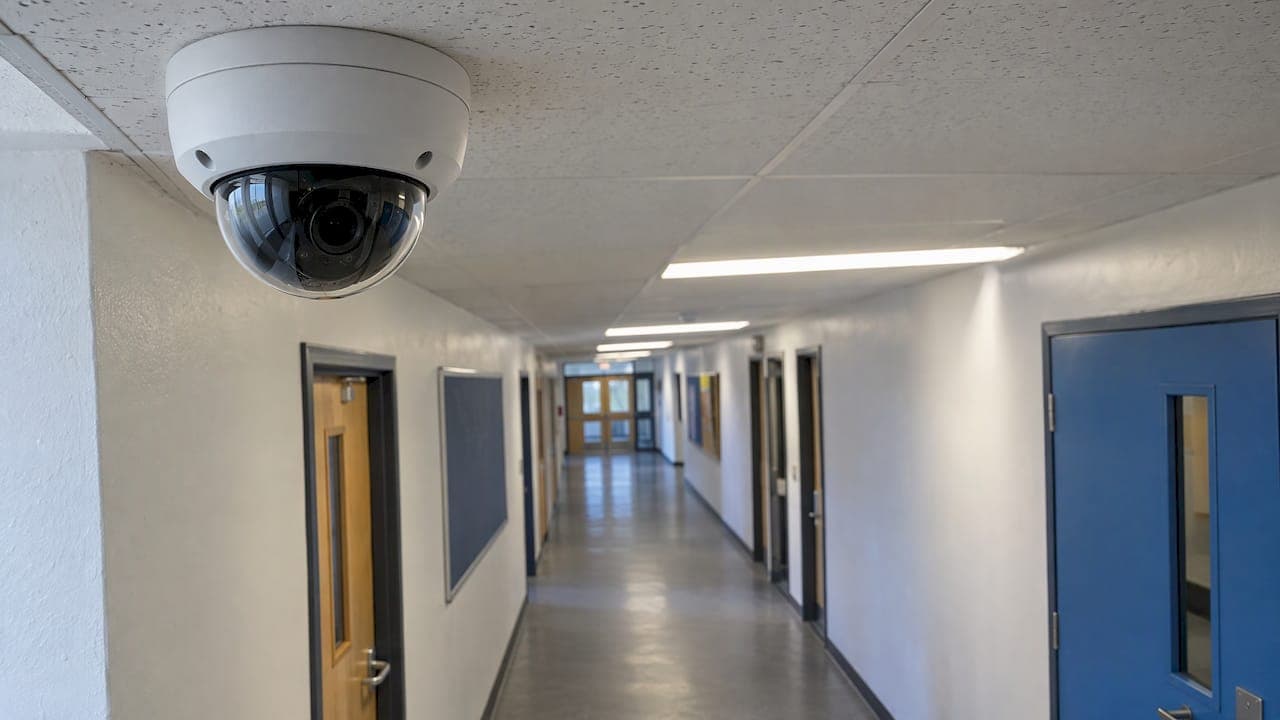
Good CCTV for a school starts with a clear purpose, not a camera count. Decide what you need it to do, such as deter intruders, protect the building out of hours, support safeguarding in shared spaces or help in an emergency. Then place cameras only where that purpose is served, and run the system within UK data protection rules. This guide covers where cameras earn their place, what the official guidance expects, how to specify a system and how to keep it working.
TL;DR
- Start with the problem you are solving. GOV.UK guidance says CCTV should be a proportionate response, so write the purpose down before you choose equipment.
- Put cameras at entrances, perimeters, car parks, blind spots and shared circulation areas, and restrict each camera's view to the area it is there to cover.
- Switch off audio recording and avoid live facial recognition. Display signs, limit who can view footage and set a retention period.
- Specify image quality, storage, remote access and network capacity at the design stage, so the system does not need rework later.
- Keep it serviced. A camera that failed months ago gives no protection on the day you need it.
Table of Contents
- Why schools use CCTV
- Where cameras are most useful
- Types of camera and what suits which job
- The rules that apply to school CCTV
- Managing footage: signs, access and retention
- How to specify a school CCTV system
- Keeping the system working
- Our perspective
- CCTV, access control and lockdown for schools
- FAQ
- Sources
Why schools use CCTV
Schools are large, open sites with many entrances, shared spaces and long periods when nobody is there. GOV.UK says many schools use CCTV to improve site safety and security and protect pupils, staff and visitors. It can also help in emergencies, support lockdown management, back up internal policies and safeguarding, and give people a sense of security.
In practice, the reasons we hear from schools fall into four groups:
- Protecting the building and equipment. Out-of-hours break-ins, vandalism and theft from school grounds.
- Controlling who comes on site. Seeing visitors at the gate, the main entrance and the delivery area.
- Safeguarding in shared spaces. Corridors, stairwells, entrances and communal areas where incidents are hard to supervise.
- Emergency response. Knowing where people are and what is happening at the point you need to make a decision.
It helps to be realistic about what a camera does. It records and lets staff observe. Academic work on school surveillance, such as Andrew Hope's 2009 study in the British Educational Research Journal, found CCTV effective for direct observation, while questioning whether it builds self-regulation over the longer term. That is a good argument for pairing cameras with good supervision, clear behaviour policies and a visible, well-explained system rather than relying on cameras alone. Education sector guidance makes a similar point: CCTV is a strong safety and deterrence tool but not a complete solution, so it works best as one layer in a wider plan.
Where cameras are most useful
The official guidance does not hand out a room-by-room list. What it does say is that cameras should be positioned where there is a clear need, with the use justified, proportionate and respectful of privacy, and that the range should be restricted to the relevant area. That gives a sensible way to think about coverage: start from the risk, then place the camera.
Entrances and reception
The main entrance is where you control who comes in. A camera here, ideally paired with door entry or an intercom, lets reception see visitors before releasing the door and gives you a record of who arrived and when. Our access control and door entry work is often specified alongside entrance cameras for exactly this reason.
Perimeter, gates and car parks
Fences, side gates, bin stores and car parks are where out-of-hours intrusions usually start. Cameras that cover the perimeter give early warning and good evidence if something happens. Lighting matters as much as the camera here, because the image at night is only as good as the light on the scene or the camera's low-light capability.

Playgrounds and external areas
External cameras can cover blind spots that staff cannot easily see, such as the sides of buildings, behind sports halls and the edges of fields. Keep each view tight to the school's own land, so you are not recording neighbouring homes or the public pavement more than necessary.
Corridors, stairwells and shared circulation areas
Internal cameras in circulation areas can support safeguarding, particularly in larger and secondary schools where there are many pupils moving between lessons. Each internal camera needs a stated reason and should sit in an area where people can reasonably expect it, with clear signage.
Areas needing extra care
The guidance does not publish a list of banned rooms, but it does say CCTV must respect privacy and be limited to what is necessary. Toilets, changing rooms and similar private spaces are areas where cameras are very hard to justify, so talk to your data protection officer before considering anything in or near them. The same applies to staff rooms and any area where people have a strong expectation of privacy.
Types of camera and what suits which job
The right camera depends on the task. Here is how the common types usually fit a school site.
| Camera type | Typical school use | Why it suits |
|---|---|---|
| Dome | Corridors, reception, halls | Discreet, hard to tamper with, wide view of an interior space |
| Turret | Entrances, building elevations | Less prone to reflections at night than some domes, easy to aim |
| Bullet | Perimeters, car parks, gates | Visible deterrent, suits longer, narrower views |
| PTZ (pan, tilt, zoom) | Large grounds, sports fields | One camera can cover a big area and zoom in on an event |
| Fisheye | Halls, atriums, open areas | Very wide coverage from a single point |
| Corner (anti-ligature) | Specialist or high-risk internal spaces | Designed to reduce points that can be misused |
Whatever you choose, the legal test is the same. GOV.UK says CCTV should achieve its intended purpose without collecting unnecessary personal data, and the ICO says the type and location of surveillance systems must achieve the specific purposes they are used for. In plain terms: a camera chosen to read number plates at a gate is a different tool from one chosen to give an overview of a hall, and the specification should show that thinking.
The rules that apply to school CCTV
Because CCTV captures images of identifiable people, the footage is personal data. GOV.UK says school CCTV must comply with data protection law, and also with the Freedom of Information Act 2000, the Protection of Freedoms Act 2012, the Human Rights Act 1998 and the Surveillance Camera Code of Practice.
The practical points that follow from the guidance are:
- Define a clear purpose and consider whether a less intrusive option would do. The ICO advises considering alternative, less privacy-intrusive methods first, even where new technology is attractive or affordable.
- Assess the need for a data protection impact assessment (DPIA) and update it when the technology or the way you use it changes.
- Consult your data protection officer about camera locations.
- Minimise data. The ICO says the data processed must be adequate, relevant and limited to what is necessary, so identify the minimum needed for each purpose.
- Turn off default audio recording and avoid live facial recognition. GOV.UK advises against both.
The schools' own decisions here are theirs to document. We design and install the system; your governors, head teacher and DPO decide the purpose and policy. A good installer will, however, give you the camera schedule, field-of-view plans and system details that your DPIA needs.
Managing footage: signs, access and retention
Installing the cameras is the easy half. GOV.UK sets out what good day-to-day management looks like:
- Display visible CCTV signs and update your privacy notices.
- Tell staff the purposes of the system, the retention period and who footage may be shared with.
- Document how footage is managed, including who can view, export and delete it.
- Limit access to trained, authorised staff.
- Delete footage securely and keep it only for the shortest period that meets the purpose.
- Answer subject access requests within one calendar month.
All of that is in the GOV.UK guidance on CCTV in schools. The government does not set a single number of days for retention, so the period is your decision, based on your purpose. Many schools choose a period that lets them review an incident reported after a weekend or a half-term break, and no longer.
The design of the system can make this far easier. Role-based logins, an audit trail of who has viewed footage, simple export of clips and automatic overwriting at the end of your retention period all turn a policy on paper into something staff can follow on a busy Monday.
How to specify a school CCTV system
When we survey a school, these are the questions that shape the specification.
What must each camera be able to see?
Decide the job for every camera: general overview, recognising a person, or reading a number plate. That sets the resolution, lens and mounting height. A wide overview of a playground and a clear face at a door need different cameras, not the same camera at different settings.
How will it perform at night and in poor weather?
Schools are most vulnerable out of hours, so night-time image quality is a core requirement rather than an extra. Specify low-light performance, infrared or supplementary lighting, and weatherproofing suited to exposed positions.
Where will footage be stored, and for how long?
Storage capacity depends on the number of cameras, resolution, frame rate and retention period. Work it out at design stage, so recording does not fall short of the period you have set in your policy.
Who needs to view it, and from where?
Reception may need a live view of the entrance. The site manager may need to check the perimeter after an alarm. The head or senior leaders may need to review an incident. Remote viewing through secure apps or software makes this easy, but it should be tied to named, authorised users. We cover this in more detail in our guide to remote security monitoring.
Can the network carry it?
Modern IP cameras put real demand on the school's cabling and switches. Poor cabling is a common cause of dropped feeds and grainy recordings. Planning the data cabling at the start, and using proper network cabling installation where a site needs new runs, avoids problems when cameras, door entry and Wi-Fi all share the same infrastructure. We also design and install Wi-Fi and networking for schools that want the whole system planned together.

How does it work with the rest of site security?
CCTV is strongest when it works with an intruder alarm, door entry and, where needed, a lockdown system. A camera that verifies what triggered an alarm saves time and false call-outs, and a camera at the door makes entry control far more reliable.
Keeping the system working
CCTV can fail quietly. A disk fills, a camera drifts out of aim, a lens gets dirty or a power supply fails, and nobody notices until they need the footage. Regular servicing finds these faults first. Our guide to CCTV servicing explains what a service covers and how often to arrange one.
A simple routine for the site team in between services:
- Check each live view weekly, to confirm every camera is on and aimed correctly.
- Test that you can find and export a clip from a given date and time.
- Check the system clock, because footage with the wrong time is hard to rely on.
- Review who has access whenever staff join or leave.
- Revisit the purpose and DPIA when you add cameras or change how you use them.
Our perspective
Schools ask us for cameras, but what they really want is to know the site is safe and that they can prove what happened if something goes wrong. So we start with a survey and a conversation about risks, not a catalogue.
We believe one experienced engineer should specify, install and certify the system, with no salespeople passing the job along and no subcontractors turning up on the day. For a school, that means the person who walked your site and understood your blind spots is the person who builds the system and answers your call afterwards.
We also think the best school systems are joined up. Cameras that sit alongside door entry, intruder alarms and lockdown systems give staff a clearer picture in the moments that matter. Add remote monitoring and a regular service, and CCTV becomes something the whole school can rely on, not just a set of cameras on the wall.
Freddie
CCTV, access control and lockdown for schools
We design, install and SSAIB-certify CCTV, intruder alarms, access control, intercoms and lockdown systems for schools, nurseries and other premises across Liverpool and the North West. Every system is tailored to the site and installed directly by a qualified engineer, with remote monitoring and app control available where you want them. Work starts with a site survey and a clear fixed quotation.

To see how a school system fits together, look at our CCTV and remote monitoring page, or talk to us about a school survey. If you want to check our credentials first, our accreditations page has the detail.
FAQ
Is CCTV allowed in schools in the UK?
Yes. Many schools use it to protect pupils, staff, visitors and property. It must comply with data protection law and the other rules GOV.UK lists, including the Surveillance Camera Code of Practice. Use has to be justified, proportionate and limited to a clear purpose.
Where should CCTV cameras go in a school?
The strongest cases are entrances, perimeters, car parks, external blind spots and shared circulation areas. Each camera's view should be restricted to the area it is there to cover. Private areas such as toilets and changing rooms are very hard to justify, so speak to your data protection officer first.
How long can a school keep CCTV footage?
There is no single legal number of days. GOV.UK says footage should be kept only for the shortest period that meets your purpose, and deleted securely afterwards. Your retention period should be written into your policy and the system set to match.
Do school CCTV systems record sound?
They should not by default. GOV.UK advises switching off audio recording that comes enabled on some equipment, and avoiding live facial recognition. Your installer should configure this at handover.
Do we need to tell people about the cameras?
Yes. GOV.UK says schools should display visible CCTV signs, update privacy notices and tell staff the purposes, retention period and sharing arrangements. Footage of a person can also be requested through a subject access request, which must be answered within one calendar month.
Sources
- Data protection in schools: taking and using photos and videos, and using CCTV in schools (GOV.UK)
- How can we comply with the data protection principles when using surveillance systems? (ICO)
- CCTV, school surveillance and social control (Hope, British Educational Research Journal, 2009)
- The pros and cons of using CCTV in schools (QA Education)