
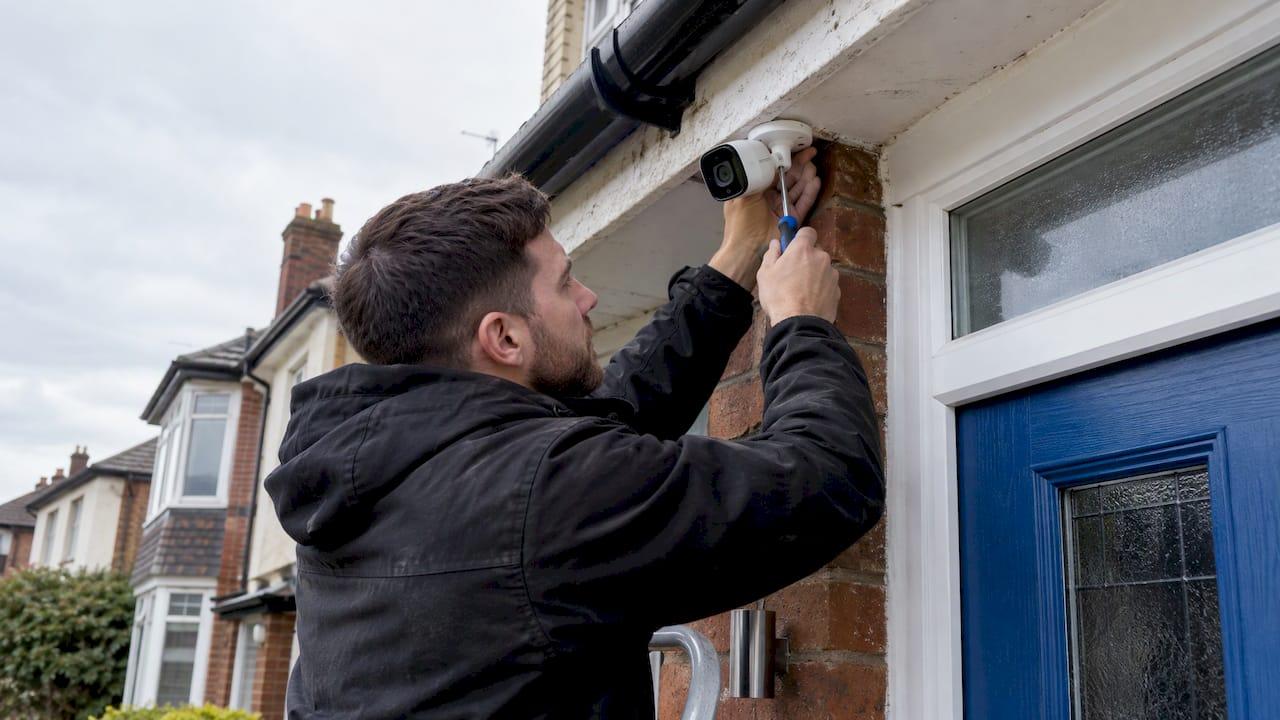
A good CCTV installation in England starts with a site survey and a clear statement of what the cameras must achieve, not with a box of cameras. The installer assesses the risks, designs the system around them, fits and configures it, shows you how to use it and leaves you with footage you can actually export. You then follow the UK data-protection rules that apply to your property, whether that is a home, a school, a nursery, a place of worship or a business. This guide walks through each stage so you know what a proper job looks like before you ask for quotes.
TL;DR
- Insist on a site survey and written objectives before any design: professional guidance treats both as design controls, not paperwork.
- Cost depends on camera number and type, image detail required, recorder, storage, lighting, remote monitoring and backup power, so compare quotes on what is included.
- Wired systems suit permanent buildings; wireless links suit outbuildings, yards and awkward cable routes. Many sites use both.
- Homes that film beyond their own boundary, and all organisations, must follow data-protection rules: signage, secure storage, limited access and a deletion period.
- Before the installer leaves, test every camera by day and night, and make sure you can export footage yourself.
Table of Contents
- What a CCTV installation actually involves
- Wired or wireless: which suits your property?
- What affects the cost, and what a quote should include
- Who is the installer? Questions worth asking
- Privacy and data-protection rules in England
- Our CCTV installation service
- Checks before the installer leaves
- Keeping the system working
- FAQ
- Sources
What a CCTV installation actually involves
The fitting day is the shortest part of the job. The quality of a system is decided before anyone picks up a drill.
Risk assessment and site survey
NSI, the security inspectorate, says professional CCTV design should follow a risk assessment and site survey that establishes the security and operating needs before the design is developed. That order matters. The purpose of the system (deterring break-ins, identifying people at a gate, monitoring a loading bay, protecting staff) determines which cameras, how much storage and what supporting equipment you need.
A UK design guide for video surveillance says a survey should look at camera positions, power, interconnection, cable routes, wireless links, accessibility, maintenance access and cybersecurity where IP networks or the internet are involved. In practice, a surveyor walks the property with you, notes where people approach, where light is poor, where cables can run and where a camera could be reached by someone with a ladder.

Choosing cameras for the job
The same guidance says cameras and lenses should match the area and the identification objective, while light level, weather, dust, water, mounting strength and the risk of malicious damage all affect which equipment is chosen. A camera that shows a wide car park is not the camera that captures a face at a door.
NSI lists HD network, analogue and thermal cameras, plus features such as analytics, back-light compensation, onboard recording and low-light capability. The right mix depends on what must be seen and when. A front door facing a low sun needs different handling from a rear yard lit only by a streetlight.
Fitting, cabling and configuration
Once the design is agreed, the installer mounts the cameras securely, routes and protects the cables, and connects everything to a recorder or network. Then comes the configuration that decides whether the system is useful later: recording schedules, correct time and date, camera names, motion settings, user permissions, overwrite behaviour and strong passwords. A practical installation guide lists these same steps. Strong passwords and sensible permissions matter most when the system is reachable from an app or the internet.

Wired or wireless: which suits your property?
This is the question most owners ask first, and the answer is usually "it depends on the cable route".
| Factor | Wired (cable to each camera) | Wireless link or wireless camera |
|---|---|---|
| Best for | Permanent buildings, offices, schools, new builds | Outbuildings, yards, farms, sites where cabling is impractical |
| Reliability | Stable connection that does not depend on radio signal | Depends on signal strength, line of sight and interference |
| Power | Often one cable carries power and data (PoE) | Needs a power source at each camera, or batteries |
| Installation | More cabling work, tidier long-term result | Quicker where cable runs are difficult |
| Typical approach | Core of most professional systems | Used to reach areas wired cameras cannot |
Most professional installers treat this as a design decision, not a loyalty to one type. A main building might be fully cabled, while a barn or gatehouse 100 metres away is reached by a wireless link. We installed a system of that kind for a haulage and agricultural site, which you can read about in our wireless CCTV case study.
Whatever you choose, ask where footage is stored. A recorder on site keeps it under your control. Anything sent to remote storage needs the same privacy and access care as local footage.
What affects the cost, and what a quote should include
No honest installer can price a system from a postcode. NSI says an accurate quotation depends on you specifying what the system must provide and when it must operate, because those requirements drive the choice of cameras, storage, lighting, monitoring and backup. It also lists the main cost drivers: the number and type of cameras, the image detail required, recorder capability, storage and equipment quality. Illumination, detection, analytics, remote monitoring and backup power may also be needed.
That is why a headline figure tells you little. When you compare quotes, check that each one states:
- The number and type of cameras, and what each is meant to see.
- The recorder and storage, including how many days of footage it holds at the quality you need.
- Cabling and installation, including difficult routes, access equipment and making good after drilling.
- Lighting or infrared where the area is dark at night.
- Remote viewing and alerts, and any monitoring arrangements.
- Training and handover, including how you export footage.
- Aftercare, meaning servicing, callout and who is responsible if something fails.
We give clear fixed quotations after a site survey, and a survey is where the real number comes from. If you want to understand how a whole security scheme is planned before pricing, our guide to security system design sets out the process.
Who is the installer? Questions worth asking
CCTV is only as good as the person who specifies and fits it. Before you accept a quote, ask:
- Who will survey the property, and will the same person install it?
- Is the work done by employed engineers or passed to subcontractors?
- Which certification body inspects the company's work?
- What happens after handover: servicing, callouts and support?
- Will you be shown how to operate the system and export footage?
Our approach is that every system is specified, installed and SSAIB-certified by the same experienced engineer, with no salespeople or subcontractors in between. That keeps accountability in one place, so the person who designed the system is the person who answers for it.
Our view: design for the evidence you will need
Most disappointing CCTV systems fail for the same reason: someone bought cameras before deciding what the footage was for. A camera that records a wide view looks impressive on the day and proves nothing when you need to identify a face or a number plate.
So we start with the survey and the question "what must you be able to see, and when?". Then we choose camera positions, lenses, lighting, recording and remote access to answer it. Because the engineer who surveys is the engineer who installs, nothing gets lost between the sales conversation and the fitting.
Our systems can include remote monitoring and app control, and we install them tidily, explain them properly and stay available afterwards, including 24-hour support. A CCTV system is something you rely on at the worst possible moment, so it should be designed, fitted and looked after by people who will still be there afterwards.
Freddie
Privacy and data-protection rules in England
CCTV that records people is covered by UK data-protection law. The rules differ slightly for homes and organisations.
Homes
The ICO says domestic users should, where possible, capture only their own property. If cameras also capture a neighbour's property, a public area or a communal space, data-protection law applies. In that case the ICO says you need a clear reason, should avoid excessive capture, display signs, keep footage secure, delete it regularly, respond to requests and stop recording someone who objects where you have no legitimate reason to carry on.
GOV.UK's domestic CCTV guidance adds practical points: keep the system's date and time accurate, make sure there is enough recording space, delete footage when it is no longer needed, keep access minimal and secure, and do not share recordings on social media.
The practical consequence is that camera angles should be set at installation. A good installer positions and masks cameras so your doorway, drive and garden are covered without pointing into next door's windows. Our home security service covers home CCTV, smart doorbells and related systems designed with that in mind.
Schools, nurseries, places of worship and businesses
The ICO's advice for organisations is to define the purpose, coverage, retention period and privacy impact before installation, document your reasons, and carry out a data protection impact assessment where processing is likely to create high risk. Its checklist for organisations also covers:
- Updating your privacy notice and CCTV policy with the lawful basis, responsibility, security, sharing and retention arrangements.
- Informing staff where relevant.
- Displaying visible signs.
- Securing footage and limiting who can view it.
- Retrieving or redacting footage when someone makes an access request.
The ICO also says CCTV should not normally operate in toilets or changing rooms. Any exceptional use needs strong justification and clear notice. For a school or nursery, that shapes the camera plan from the start: entrances, corridors, playgrounds and car parks are usually the focus. Our guide to CCTV for schools goes into coverage and specification. For larger commercial sites, see warehouse CCTV systems.
If you are likely to disclose footage to police or insurers, the UK design guidance recommends thinking about export and disclosure formats during design, so you do not discover later that evidence cannot be supplied properly. Ask your installer to plan for this.
Our CCTV installation service
We design, install and certify CCTV for homes, schools, nurseries, places of worship and commercial premises in Liverpool and the North West. Each system is tailored to the property, can include remote monitoring and app control, and is installed directly by a qualified engineer rather than a subcontractor. We have more than 20 years in the field and a 5.0 rating from 44 Google reviews.

See how our CCTV and remote monitoring service works for commercial sites, or contact us to arrange a site survey and a fixed quotation.
Checks before the installer leaves
Handover is your chance to make sure the system does what the survey promised. GOV.UK advises reading the manual, asking the installer to show you how to operate the system and export footage, and checking regularly that it still works and captures the right images. A practical guide suggests testing every camera in daylight and at night. Use this list:
- Live view: every camera shows the intended area, with no glare or blind spot.
- Night view: images remain usable after dark, and lighting or infrared does what it should.
- Playback: recorded footage plays back with the correct timestamp.
- Remote viewing: the app works on your phone, with your own login.
- Permissions: each user has only the access they need, and default passwords are gone.
- Export: you have watched the installer export a clip and have done it yourself.
- Storage: you know how many days of footage the recorder keeps.
Keeping the system working
Recording space fills, lenses collect dirt and spiders, and settings drift. Regular servicing keeps the image clear and catches faults before the night you need the footage. Our guide to CCTV servicing explains what it covers and how often to book it. We also offer annual servicing, SSAIB-certified maintenance and 24-hour callout through our service and maintenance page.
FAQ
How long does a CCTV installation take?
It depends on the number of cameras, the cable routes and the building. The survey and design come first, and the fitting itself follows once the quotation is agreed. Your installer should give you a realistic timescale in the quotation.
Do I need planning permission or a licence for CCTV at home?
The sources reviewed here do not describe a licence for ordinary home CCTV. What they do cover is data protection: if your cameras capture beyond your own property, the ICO says data-protection law applies, with signage, secure storage and deletion duties. Listed buildings and conservation areas can have their own rules, so mention these to your installer at survey.
Can CCTV record sound or film inside nurseries and schools?
The ICO says CCTV should not normally operate in toilets or changing rooms, and exceptional use needs strong justification and clear notice. Organisations should document their reasons, display signs and limit access to footage. Agree the coverage plan with your installer and your data-protection lead before fitting.
How long should CCTV footage be kept?
The ICO advises organisations to set a documented retention period and to delete footage once it is no longer needed. GOV.UK gives the same principle for homes. Your installer should size the recorder so it holds your chosen period at the image quality you need.
Sources
- CCTV systems for business and commercial premises, NSI
- Planning, design, installation and operation of video surveillance systems guide
- How to install a wired security camera system
- Home CCTV systems, ICO
- CCTV for your organisation: things you need to do, ICO
- Guidance on the use of domestic CCTV, GOV.UK