
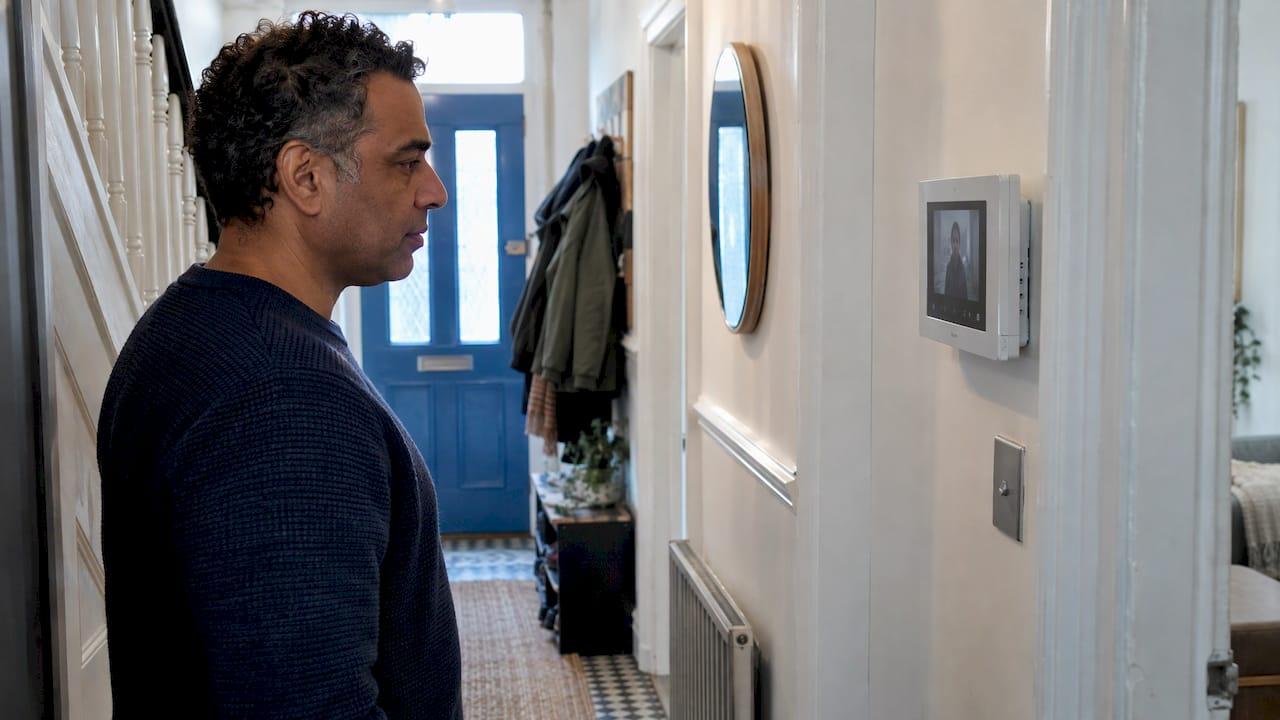
A home video intercom lets you see and speak to whoever is at your door from a screen inside or from your phone, and release the door without opening it. The right one depends on your wiring, your Wi-Fi and who visits your property, so the best result comes from a system designed around the building and fitted by one engineer who is accountable for it. This guide explains how the systems work, what they cost fitted in the UK, and what to settle before anyone picks up a drill.
We design and install intercom systems and home security for homes, schools, nurseries, places of worship and businesses across Liverpool and the North West.
TL;DR
- A video intercom has a door station (camera, microphone, call button), an indoor monitor or phone app, and a power supply. You see, talk and let people in without opening the door.
- Your existing cabling decides the type. Two-wire kits can reuse an old doorbell cable pair. IP systems use network cable and suit new builds, extensions and homes with cameras on the same network.
- A like-for-like single-home video intercom swap is typically priced at £550 to £900 supplied and fitted, and a new-circuit install at £700 to £1,250.
- If the camera only sees your own property, data protection law does not apply. If it captures a pavement or a neighbour's space, it does.
- A site survey and a fixed quotation settle wiring, signal, power and privacy before you pay.
Table of Contents
- What a home video intercom is and how it works
- Video intercom or video doorbell?
- Wired, two-wire or IP: the choice that shapes everything
- Features worth having at a home front door
- Keeping an IP intercom secure
- Privacy and the law at your door
- Electrical and fire safety points
- What a home video intercom costs in the UK
- Choosing for your type of property
- What happens when we install one
- Get a home video intercom designed for your door
- FAQ
- Sources
What a home video intercom is and how it works
A video intercom is a door entry system with a camera. Three parts do the work:
- The door station is the panel outside. It holds the camera, a microphone, a speaker and one or more call buttons.
- The indoor monitor, or a smartphone app, shows the visitor and carries two-way audio.
- The power supply and lock release feed the system and operate an electric lock, gate or door release.
When a visitor presses the button, the monitor rings and shows the live picture. You answer, talk, and decide whether to release the lock. Many systems also let you take the call on your phone when you are out, so a courier at the door does not know whether you are in the kitchen or at work.
The benefit is simple. Seeing a person before opening the door removes the guesswork about who is there, which matters for households with children, older relatives or anyone who lives alone. It also adds a second layer to your wider burglar alarm and CCTV setup, because the front door becomes a point you can watch and control rather than just a lock.
Video intercom or video doorbell?
The two overlap, and the line between them has blurred. A video doorbell is usually a single camera unit at the door that sends alerts and live video to an app. A video intercom is a door station linked to one or more indoor monitors, often with a lock release, and it can be connected to a gate or a second entrance.
Which one suits you depends on how you live:
- A single front door, a phone-first household: a smart doorbell may be all you need.
- A gate, a long drive, a shared entrance or several rooms that need a screen: a proper intercom with indoor monitors and door release fits better.
- Both: many homes link a doorbell or intercom to cameras and the alarm so everything sits in one system. We cover smart doorbells and intercoms as part of the same home security design.
If you do choose a doorbell with a cloud app, check how it is powered and what the app plan includes. In its May 2026 test of 51 video doorbells, Which? found prices from £35 to £300, and cloud storage often carries a subscription of around £2.99 a month or £50 a year. It also noted that mains-powered models may need an electrician.
Wired, two-wire or IP: the choice that shapes everything
Most of the cost and disruption in an install comes from cable. So the first decision is how the door station talks to the screen.
| Type | How it connects | Best suited to | Things to plan for |
|---|---|---|---|
| Two-wire | A two-core cable pair between door station and monitor | Replacing an old doorbell or intercom where a cable already runs | The existing cable must be sound and the right route |
| IP (network) | Network cable, often with power over Ethernet (PoE), to the door station and each monitor | New builds, extensions, homes with a structured network, systems that sit alongside cameras | Cable to each point and a switch with enough PoE capacity |
| Wireless | Wi-Fi or mobile data | Places where running cable is not practical | Signal strength at the door and power at the unit |
Two-wire systems
Two-wire kits suit a straight swap. If your house already has an old bell or audio intercom, the cable pair behind the wall can often be reused, so there is little disturbance to decoration. The system does not depend on your internet, which keeps it simple and quick.
IP systems
IP systems treat the intercom as another device on your network. That brings remote answering, easier integration with CCTV and smart home controls, and better scaling if you later add a second door station or a gate. The trade-off is that the network has to be sound, which is why structured cabling and a well-planned Wi-Fi layout matter. We design Wi-Fi networks and structured data cabling alongside security systems, so the intercom, cameras and alarm are planned as one installation rather than three bolt-ons.
Wireless systems
Wireless units are useful where cable cannot easily reach, such as a detached gate or an outbuilding. Masonry walls and metal doors weaken Wi-Fi, so signal at the door itself needs checking before you commit, and the power source (battery or mains) shapes how reliable the unit is day to day. A survey answers both questions in minutes.

Features worth having at a home front door
A good specification is about how the system behaves on a wet Tuesday evening, not about the length of a feature list. These are the points that make a daily difference:
- Picture quality in poor light. Night vision and a wide view of the doorstep so you can see the whole approach, not just a face.
- Clear two-way audio. Echo and delay make conversations frustrating, and wiring quality has a lot to do with it.
- Door release. An electric lock release so you can admit a family member or carer without going to the door.
- Phone answering. Useful when you are at work or away, as long as the network behind it is solid.
- Call logging. A record of who called and when helps if you miss a delivery or need to check an event.
- Integration. Linking the intercom with your alarm, cameras and smart home controls, so one app shows the whole picture.
- Accessible design. Large, well-lit buttons and a screen at a sensible height make the system usable for everyone in the household.
Keeping an IP intercom secure
An intercom on your network is a networked camera, so it deserves the same care as any other connected device. The sensible habits are straightforward: change default passwords at set-up, keep firmware up to date, use encrypted connections for the admin interface and the video stream, and keep logs of calls and access events.
For homes with a lot of connected devices, and for any school, nursery or business, it also helps to keep door entry and cameras on their own part of the network. This is called network segmentation for cyber security: if one device is ever compromised, it cannot reach your laptops, files or tills. It is a setting made at commissioning, which is one more reason to have the intercom installed as part of a planned network instead of plugged in wherever there is a socket.
Privacy and the law at your door
A camera that looks at your front door raises a fair question about what it records and who it records.
- Footage of your own property only. The Information Commissioner's Office (ICO), the UK's data protection regulator, says its video surveillance guidance does not apply to domestic surveillance in a purely personal or household context. The same guidance does name smart doorbell cameras as within its scope for organisations.
- Footage that reaches beyond your boundary. One housing provider's resident guidance explains that if a home camera captures neighbours' property, shared spaces or public footpaths, UK GDPR and the Data Protection Act 2018 apply and you become a data controller. In that case you should signpost the recording, keep footage only as long as needed and answer subject access requests within one month. Residents do not need to register with the ICO or pay a fee. The same guidance advises positioning cameras to avoid neighbours and shared areas, and switching audio recording off in most cases.
- Schools, nurseries, places of worship and businesses. These are organisations, so the ICO video surveillance guidance applies. Signage and a clear reason for recording are part of the design, not an afterthought.
The practical answer is to set the camera angle and recording options at installation. A survey lets you check what the lens actually sees from the door before the system is switched on.
Electrical and fire safety points
Two rules come up in any door entry job. A UK pricing guide notes that new-circuit intercom work falls under Part P notification, the building regulation for electrical safety in homes. The same guide notes that locking on a fire exit must be fail-safe, so the door releases in an emergency under the Regulatory Reform (Fire Safety) Order 2005. That second point matters most in schools, nurseries, churches and any premises with a fire escape route, and it is a reason to use an installer who designs the whole entry route, not only the panel.
What a home video intercom costs in the UK
Prices vary with cable routes, the number of monitors and whether a new power circuit is needed. As a guide to typical UK ranges, a published installation cost guide gives these figures:
| Job | Typical supplied and fitted price |
|---|---|
| Like-for-like video intercom swap, single home | £550 to £900 |
| New-circuit video intercom install, single home | £700 to £1,250 |
| 4 to 8 flat block, existing riser | £2,500 to £4,500 |
| 9 to 20 flat IP block | £8,000 to £18,000 |
| Commercial IP video with access control | £6,000 to £25,000 and above |
These figures come from that UK pricing guide and are market ranges, not our prices. What moves the number is easy to list: how far the cable has to run, whether walls are solid masonry, how many indoor screens you want, whether a gate or second entrance is linked, and whether a new circuit is needed.
That is why we work from a site survey and give a fixed quotation. You see one price for the design and installation rather than an estimate that grows once the work begins.

Choosing for your type of property
Houses and flats
For a house, start with what is already in the wall. A working cable pair points to a simple two-wire swap. A new extension, a renovation or a home with cameras and a decent network points to IP. For homeowners the useful questions are: how many screens do you want, do you need to answer from your phone, and do you want a gate or garage linked in?
Schools and nurseries
Here the intercom is part of safeguarding. The priorities are seeing every visitor before the door opens, controlling who gets in during the day and keeping a record of entries. Entry is usually combined with access control for staff and parents, and with lockdown systems for schools and event centres where the site needs them. Fail-safe release on fire routes and clear privacy signage need settling in the design.
Places of worship
Buildings open at set times to people of all ages, often with volunteers on the door and large, awkward premises. A video intercom lets a keyholder check who is outside before opening, and it works best when tied into the alarm and CCTV so the whole building is covered by one plan.
Businesses and construction sites
Offices, units and compounds need door entry that copes with deliveries, contractors and staff coming and going. The system often grows into full access control and CCTV with remote monitoring, so it is worth specifying with that in mind. A network designed for the first door station should have room for the fifth.
What happens when we install one
The process is meant to take the guesswork out for you:
- Site survey. We look at the door, the cable routes, the walls, the Wi-Fi signal and who uses the entrance.
- Design. The same engineer who surveyed your property specifies the system, matched to how you use the building.
- Fixed quotation. You get a clear price before work starts.
- Installation. The work is carried out directly by our engineer, not passed to subcontractors.
- Commissioning and handover. The system is set up, tested and explained to you, with remote access and app control where you want them.
- Aftercare. Annual servicing and a 24-hour callout are available if you want ongoing cover.
We work across Merseyside and the wider North West, including Liverpool, Warrington and Wigan.
Our view on home video intercoms
Most of the trouble people have with a video intercom is not the unit, it is the planning around it. A good panel on a weak signal, a cable run nobody checked or a camera pointed at the pavement will all disappoint, whatever the brand.
That is why we want the person who surveys your property to be the person who specifies and installs the system. There are no salespeople in between and no subcontractors, so the decisions about cable, power, signal and camera angle are made by one engineer who stays accountable for the result.
We also think the front door should not be a stand-alone gadget. When the intercom, cameras, alarm and network are designed together, you get one app and one set of logins, and a system that can grow when you add a gate, an extension or a second entrance.
Freddie
Get a home video intercom designed for your door
We design and fit video intercoms, smart doorbells and linked home security for homes and for schools, nurseries, places of worship and businesses across Liverpool and the North West. Every system starts with a site survey and ends with a fixed quotation, installed by the engineer who designed it. Our work is SSAIB-certified, and we cover servicing and 24-hour callout after handover.

To discuss your property, see our home security page or our intercom systems for premises, or start from our main site.
FAQ
Do I need Wi-Fi for a home video intercom?
Not always. A wired two-wire system works without your internet, so you can see and speak to visitors on the indoor screen. Wi-Fi or a network connection is needed for phone answering and remote access, so a strong signal at the door matters if you want that.
Can a video intercom use my existing doorbell wiring?
Often, yes. Many two-wire systems reuse a sound two-core cable pair that already serves an old bell or intercom, which keeps disruption low. Whether yours can be reused depends on its condition and route, which a survey confirms.
Is it legal to have a camera pointing at my front door?
Yes. If it only captures your own property, data protection law does not apply, according to the ICO's guidance on domestic use. If it also captures a pavement, a neighbour's property or shared space, UK GDPR and the Data Protection Act 2018 apply. Angle the camera at installation and keep audio recording off unless you need it.
How much does a video intercom cost fitted?
A UK pricing guide puts a like-for-like swap in a single home at £550 to £900 and a new-circuit install at £700 to £1,250. The final figure depends on cable runs, number of screens and any gate or second entrance. We give a fixed quotation after a survey.
Is a video intercom the same as a smart doorbell?
They do similar jobs. A smart doorbell is typically a single app-based unit at the door. An intercom links a door station to indoor monitors and a lock release, and suits gates, shared entrances and homes that want a screen in the hall.
Sources
- Door Entry Intercom Installation Costs UK
- ICO: What does this guidance address?
- Domestic CCTV Surveillance Procedure (Residents)
- We tried 51 video doorbells: the three best ones