
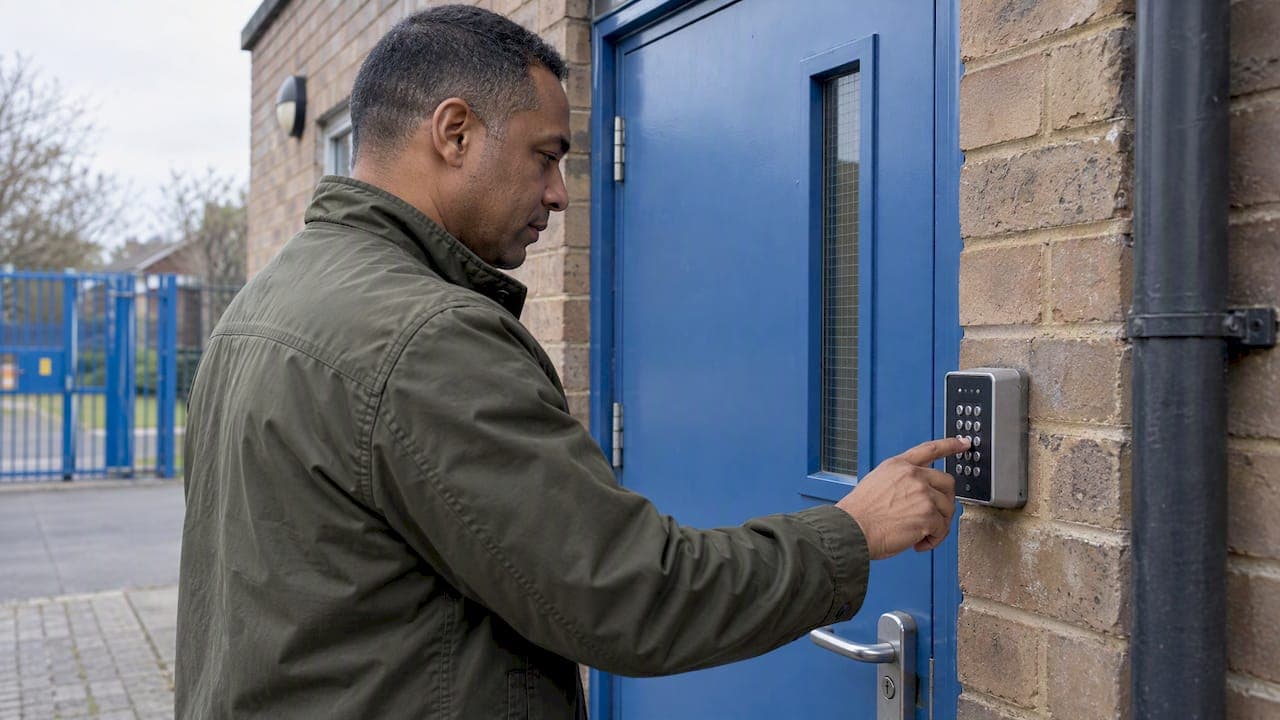
Keypad door access lets people through a door by entering a PIN, instead of carrying a key. Many systems also accept a key fob or card at the same reader, so you can choose a code, a fob or both. The right choice depends on who uses the door, how often people come and go, and what sits behind it. This guide explains how the systems work, how they differ, and what to settle before anyone drills a hole in your frame.
TL;DR
- A keypad checks something you know (a PIN). A fob or card checks something you have. Many readers combine the two on one door.
- Standalone keypads suit one or two doors. Networked systems suit sites where you need to add, edit or remove users centrally.
- Keypad position, reserve power, door hardware and fire safety matter as much as the keypad itself.
- Schools, nurseries, places of worship and businesses should start from a risk assessment and a site survey, not a product.
- We design, install and SSAIB-certify access control across Liverpool and the North West, with a fixed quotation after a survey.
Table of Contents
- How keypad door access works
- Keypad, fob or both?
- Standalone or networked: the decision that matters most
- What to check before you choose
- Keypad access for homes
- Schools, nurseries and places of worship
- Perspective: what we see on site
- Managing codes and fobs day to day
- Standards you may hear about
- Our access control service
- FAQ
- Sources
How keypad door access works
You enter a code on the keypad. The keypad or a controller behind it checks the code against those it has stored. If it matches, the controller releases the lock for a set time, usually a few seconds, and then relocks the door.

That is the whole principle. The differences come from where the checking happens, what other credentials the reader accepts, and how the lock itself is fitted to the door.
The UK's National Protective Security Authority (NPSA) describes the basic idea: a PIN is something you know, while a token is something you have. The Guild of Architectural Ironmongers' specifier's guide makes the same distinction and notes that access control can use one or more of these credentials.
The parts of a system
A typical door has four components:
- The reader or keypad, mounted beside the door, where the person enters a code or presents a credential.
- The controller, which decides whether to open. In a standalone keypad it is built into the unit. In larger systems it sits in a secure location inside the building.
- The lock, usually an electric strike or a magnetic lock, which holds the door shut until it is told to release.
- The exit device, such as a button or handle, so people can always leave.
The fourth part is not optional. Escape routes and fire safety shape every installation, which we come back to below.
Keypad, fob or both?
People searching for keypad entry systems, fob entry systems and key fob access control are usually weighing up the same decision. Here is how the options compare in daily use.
| PIN keypad | Key fob or card | PIN plus fob | |
|---|---|---|---|
| What the user needs | A code they remember | A token they carry | Both |
| Best for | Homes, small offices, shared doors with few users | Staff, residents and regular users | Doors that need a higher level of assurance |
| Removing one person | Change the code or delete the user, depending on the system | Disable that fob | Disable either credential |
| Visitors | Share a temporary or shared code | Issue a spare or visitor fob | Issue a fob plus a code |
The NPSA says authentication can rest on something known, something possessed or something inherent, such as a fingerprint. Above its basic level, the gradings it assures for automatic access control require two-factor authentication. In plain terms, a door guarding something valuable is better served by a code and a token together than by either alone.
When a keypad is the right choice
A keypad suits you if:
- people use the door but you do not want to manage physical items;
- you have a handful of regular users, such as a family, a small team or a few contractors;
- you want visitors, cleaners or deliveries to be able to enter without someone being on site.
When fobs are the right choice
Fobs suit you if:
- you have many users and want to disable one person without affecting anyone else;
- you want to restrict who can use which door, and when;
- you would rather not have a code circulating by word of mouth.
When to combine them
The NPSA describes systems where an authorised person presents a uniquely encoded token or card to the reader and also enters a PIN, and the controller verifies both before releasing the lock. That arrangement is worth considering for plant rooms, stock rooms, server cupboards, offices holding records, and anywhere a lost fob alone should not open the door.
Standalone or networked: the decision that matters most
The biggest design choice is not the keypad. It is whether each door works on its own or whether all doors are managed together.
The NPSA notes that an access control database may be local, centralised or distributed, and that the network may be standalone or use a shared LAN.
Standalone
Each keypad holds its own list of codes and credentials. You change settings at the door itself or with a handset or app, depending on the model. It is simple, quick to fit, and a sensible choice for one door, a gate, or a small unit.
Networked
Doors connect to software, and you administer everything from one place. A leading manufacturer's installer guide describes networked access control as centrally administered and monitored from one or more PCs, with permissions and time restrictions managed across connected doors. The same guide describes a reader that supports two-factor authentication with a PIN or code plus a token, and an app-based option that lets administrators add, delete and edit users.
That last point is where networked systems earn their keep. When a member of staff leaves, a fob goes missing or a volunteer changes role, you update one record. You do not walk round re-coding keypads or re-keying locks.

Which one do you need?
A rough rule we use when we survey:
- One or two doors, few users: standalone is usually enough.
- Several doors, different access levels, or people who come and go: networked.
- Premises that might grow, or that you want linked to CCTV, an intruder alarm or an intercom: plan for networked from the start, so you are not replacing hardware later.
What to check before you choose
The NPSA says a risk assessment should determine the security level a door needs. Its list of factors to consider is a useful checklist for any property.
Keypad position
Place the keypad so that someone standing nearby cannot easily watch the code being entered. The NPSA advises positioning keypads and readers to reduce unauthorised observation of code entry. At a front door, that can mean a recessed spot, a shield, or a position away from the pavement. It also says audible and visible cues should help users interact with the reader, so people know the code was accepted.
The door and its surroundings
A keypad only controls the lock. The NPSA makes the point that the physical secure border keeps a site safe, not the access control system, and weaknesses in that border can let intruders in. Check the door, frame, hinges and glazing, as well as the lock.
The NSI Code of Practice for access control specifies holding forces for electronically secured doors from 3kN (300kg) for Class I up to 10kN (1000kg) for Class IV, depending on the security class decided. A higher-risk door needs a lock and door that can resist more force.
Weather and location
An outdoor keypad faces rain, frost, sun and vandalism. Choose a unit built for external use, and think about where it will be mounted, whether that is a brick pier at a gate or a door frame in an exposed porch.
Power
Electric locks need power, and the question to ask is what happens when it fails. The NPSA states that power supplies must have enough capacity and reserve to keep the system operating during a power failure. A properly specified system includes a battery-backed supply and a clear decision on whether each door fails secure or fails open.
Fire doors and escape
If the door is on an escape route, the release hardware must not compromise it. NSI advises that electronic release hardware must not compromise the integrity of fire door sets, and that the fire door manufacturer's installation guidance must be followed strictly. In a business, school or place of worship, this is a job for a qualified installer who works from your fire risk assessment, not a weekend fit.
Integration
Access control works best alongside other security, not in isolation. A door entry system can link to an intercom for visitors, to CCTV so you can see who is at the door, and to an intruder alarm so the system is set and unset sensibly. Our access control and door entry service is designed around that joined-up approach.
Keypad access for homes
For a home, a keypad is mainly about convenience and control: no keys to lose, a code you can change when it needs changing, and easy access for family members, carers or trades.
Things to settle for a house:
- Front door or gate? A gate keypad can be paired with an intercom so you can speak to visitors before letting them in.
- Who needs access? If your household changes often, or you have regular visitors, a combined code and fob approach is easier to manage than sharing one code.
- How does it fit with the rest of your security? Keypad entry sits well beside a burglar alarm, home CCTV and a smart doorbell, so one visit can cover the lot. You can see what we offer on our home security page.
A small house with a good lock and a sensible code needs less engineering than a school. A new-build with several entrances, a driveway gate and an alarm benefits from a system designed as a whole.
Schools, nurseries and places of worship
These sites share one challenge: lots of people, some of them vulnerable, with a need to welcome visitors while keeping others out.
Counter-terrorism protective security advice for schools says to keep access points to a minimum, clearly separate public and private areas, and control the issuing and return of visitor passes. The same document stresses that access control is one part of an overall security system, alongside staff awareness, training, emergency plans and maintenance.
In practice, that points to:
- a single, controlled main entrance with an intercom and camera, so reception can see and speak to visitors before releasing the door;
- keypads or fobs on internal doors that separate classrooms, offices and staff areas from public space;
- fobs for staff and regular volunteers, so a lost credential can be disabled quickly;
- time restrictions, so cleaners, caterers or hall hirers only enter when they should.
The same guidance says school access control systems should comply with the Equality Act 2010, the Data Protection Act 1998, the Human Rights Act 1998, the Regulatory Reform (Fire Safety) Order 2005 and the Health and Safety Acts. Check the current version of each when planning, as the document predates some later changes.
Places of worship have their own pattern: open at set times, used by many volunteers, and often with rooms hired by outside groups. Time-based access and per-user control suit them well. We also design lockdown systems for schools and event centres for sites that need that added layer.
Perspective: what we see on site
Most of the access control jobs we survey do not need a more expensive keypad. They need the right system for the door, the people and the building.
We specify, install and certify every system ourselves, with no salespeople and no subcontractors. That matters here, because a good installation is a hundred small decisions: where the keypad sits, what happens when the power drops, how the lock behaves on a fire door, who can change the codes. One engineer who makes those decisions and stands behind them is better than a chain of people each handling a piece.
Our advice is to think in terms of the whole property. A keypad on its own is a good start. A keypad linked to an intercom, CCTV and an intruder alarm, with a clear way to add and remove users, is a system you can run for years without it becoming a chore. That is why we design around your premises and give you a clear fixed quotation after a survey.
Freddie
Managing codes and fobs day to day
A system is only as good as its housekeeping. A few habits make a big difference:
- Give each regular user their own credential where the system allows it, so you can see who used which door and remove one person without disturbing the rest.
- Change shared codes when people leave, and agree who is allowed to know them.
- Disable lost fobs straight away. On a networked system this takes moments from the software or app. Manufacturer guidance describes administrators being able to add, delete and edit users centrally.
- Use time restrictions for cleaners, contractors and hirers.
- Keep a short written policy on who issues and collects credentials, particularly for visitor passes.
- Service the system. Door closers, batteries, power supplies and lock alignment drift over time. Our servicing and maintenance covers annual servicing, SSAIB-certified maintenance and a 24-hour callout.
Standards you may hear about
If you are specifying a system for a business, you may see references to standards in a quote. One technical guide notes that the BS EN 60839-11 series replaced the BS EN 50133 series of standards, so a current specification should cite the newer one. The NSI Code of Practice quoted above covers the design and installation of access control and is what an NSI-inspected installer works to. You can read about our own certification on our accreditations page.
Our access control service
We design, install and certify keypad, fob and combined access control for homes, schools, nurseries, places of worship and commercial premises in Liverpool and the North West. Every job starts with a site survey and ends with a fixed quotation. The engineer who surveys is the engineer who installs.
That covers standalone keypads on a single door, networked systems across a whole building, and links to intercoms, CCTV and intruder alarms, with optional servicing afterwards. See our access control and door entry page for the detail.

If you would like a system specified for your premises, get in touch through our website and we will arrange a survey.
FAQ
Is a keypad or a key fob better for door access?
Neither is better in every case. A keypad needs nothing to carry, which suits homes and small teams. Fobs make it easier to remove one person's access, which suits larger groups. For doors that need extra assurance, a reader that asks for both is the stronger choice.
Can I have keypad entry and fob entry on the same door?
Yes. Many readers accept a PIN, a fob or card, or both together. The NPSA describes systems where a token is presented and a PIN entered, with the controller checking both before releasing the lock.
What happens to a keypad door if the power fails?
It depends on how the system is specified. Guidance says power supplies need enough reserve to keep the system running through a power cut. Your installer should also agree with you whether each door stays locked or releases, taking escape routes into account.
How do I stop someone using a lost fob?
On a networked system, an administrator deletes or edits that user in the software or app, and the fob stops working. On a standalone keypad, you remove the credential or change the code at the unit. Either way, act as soon as the loss is reported.
Can keypad access be fitted to a fire door?
Only with hardware and fitting that keep the door's fire performance intact. NSI says release hardware must not compromise fire door sets and the manufacturer's instructions must be followed. Have a qualified installer work from your fire risk assessment.
Sources
- NPSA: Automatic access control systems
- NPSA: Assured automatic access control systems for pedestrian systems
- GAI Specifier's Guide: Access Control, September 2024
- Manufacturer system guide for installers
- Counter Terrorism Protective Security Advice for Schools
- NSI Code of Practice for access control
- Alarm standard technical guide, June 2020