
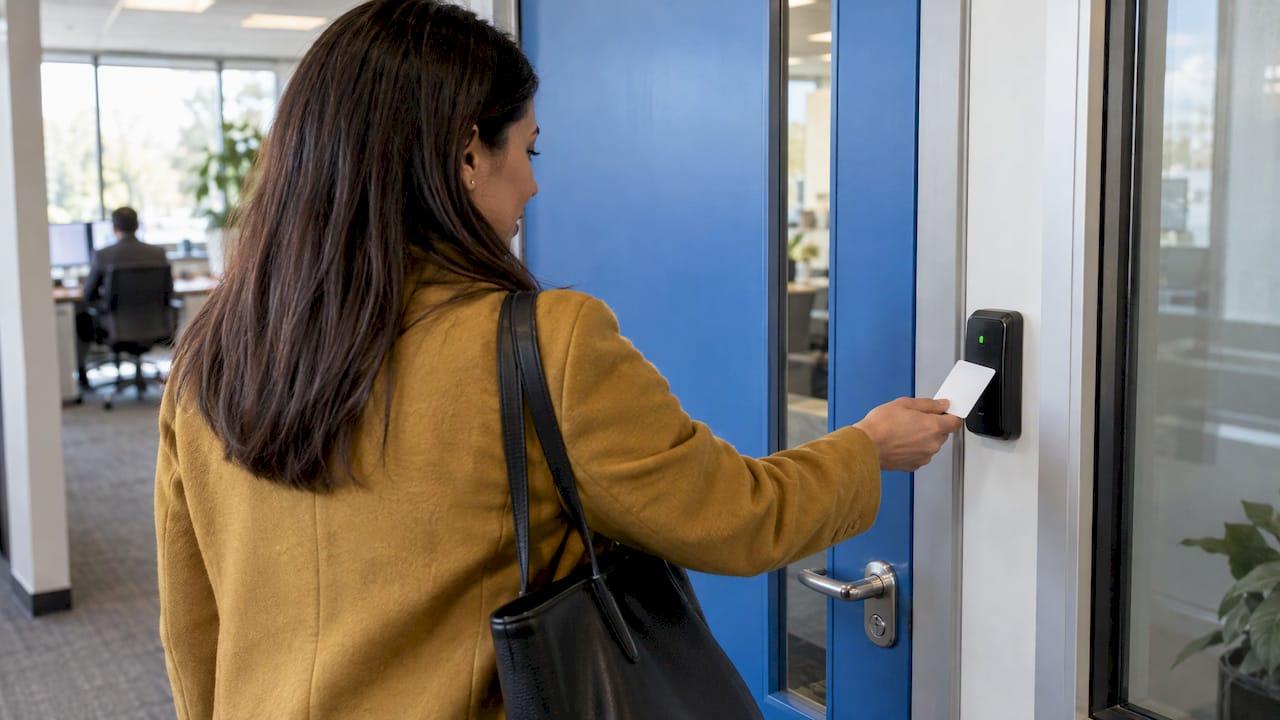
Visitor access control is the set of rules and equipment that decides who may enter your premises, where they may go and for how long, then removes that permission when they leave. It joins two jobs: recording the visitor, and physically controlling the doors, gates and intercoms they pass through. If you run a school, nursery, place of worship, office or site and want to get it right first time, this guide sets out how the pieces fit together and what to plan before you buy.
TL;DR
- Visitor management records who is on site. Access control enforces where they can go. You normally need both working together.
- A good system gives a visitor a temporary credential, limits it to certain doors and times, and ends it automatically at departure.
- Plan for integration with CCTV, intercoms and alarms, for power cuts, and for fire evacuation, where doors must release safely.
- Visitor records are personal data, so decide who can see them and how long you keep them.
- Every site is different, so a survey and a fixed quotation beat an off-the-shelf package.
Table of Contents
- What visitor access control actually means
- How a visit works, from arrival to departure
- Equipment and credentials to choose from
- Connecting access control with CCTV, intercoms and alarms
- Planning by type of site
- Safety, fire and data: the rules that shape the design
- Our perspective
- Get a system designed around your site
- FAQ
- Sources
What visitor access control actually means
Two terms get mixed up in this area, and the difference matters when you write a brief.
Visitor management is the process of recording, tracking and managing anyone who enters who is not a member of staff. It covers pre-registration, sign-in, badges, host notification and sign-out. Its main value is knowing who is on site at any moment, for safeguarding and for roll calls.
Access control is the physical side. The government's National Protective Security Authority (NPSA) describes an automatic access control system as a security measure used to control who goes where and when around a site, tied into its borders and access points. A visitor management log can tell you that a contractor arrived at 09:10. Access control is what stops that contractor wandering into the server room at 09:30.

Visitor access control is the two combined. The sign-in decides who is expected. The door hardware makes sure the visit stays within what was agreed.
Why a sign-in book is not enough
A paper book records intent but controls nothing. Anyone can walk past reception, handwriting is often unreadable, and in an emergency the book may be on the wrong side of the evacuation. A joined-up system fixes each of these: the record is legible and time-stamped, the visitor's credential only opens certain doors, and the list of people on site can be called up on a phone or at a muster point.
How a visit works, from arrival to departure
The workflow below is the pattern most sites follow, scaled up or down to suit the building.
- Pre-approval. The host tells reception or the system that someone is coming. For regular contractors, a standing approval with set days and hours saves time.
- Arrival and identity check. The visitor reaches a main door or gate. A video intercom lets reception see and speak to them before releasing the lock. The visitor's name, company and purpose are recorded.
- Credential issue. The visitor receives a badge, card, code or mobile pass. This is the electronic key.
- Controlled movement. The NPSA explains that only a user holding the correct credential can pass through an access point: the credential is shown to a reader, which signals a central control panel, and the door lock is released only if authentication succeeds.
- Time limits. Access can be permanent or scheduled for specific periods to match operating hours, so a visitor pass can stop working at the end of the day even if the badge is not handed back.
- Departure. The badge is returned or deactivated, the visit is closed in the log, and the person no longer counts as on site.
Every step leaves a record. NPSA guidance notes that the system tracks and logs interactions, and that attempted unauthorised access can trigger alerts to a control room, creating an archivable security record.
Equipment and credentials to choose from
The right credential depends on how many visitors you have, how often they return and how much each area needs protecting. The core components are consistent. A UK government security standard for physical and electronic security describes an access control system as made up of a security access management system, a kiosk with role-based administrative access, a token and a reader that communicates with the control system.
| Method | Best suited to | Things to weigh |
|---|---|---|
| Door buzzer with video intercom | Front doors, gated entrances, homes and small sites | Relies on a person to answer; adds a visual check before entry |
| Proximity card or fob | Staff, regular contractors, longer visits | Must be collected and cancelled when lost or returned |
| Keypad code | Deliveries, short-term access, plant rooms | Codes can be shared, so change them or use time-limited codes |
| Printed badge with barcode or QR code | Busy receptions, one-day visitors | Needs a reader at each controlled door |
| Mobile pass | Frequent visitors, multi-site organisations | Needs the visitor's phone and reliable connectivity |
| Biometric reader | High-security areas | Raises extra data protection duties, see below |
Most sites mix methods. A nursery might use a video intercom at the front, a card for staff and a reception-released door for parents and visitors. A warehouse might use a gate intercom for drivers, fobs for staff and codes for inner stores.
Do not forget the network
Readers, controllers, cameras and intercoms all depend on cabling and a stable network. Poorly planned networks are a common cause of doors that stop responding or records that go missing. This is why we design Wi-Fi and structured data networking alongside the security equipment rather than as an afterthought.
Connecting access control with CCTV, intercoms and alarms
A door that opens for a visitor is only half the picture. Joining it to other systems turns a lock into a security layer.
- CCTV. Linking CCTV to entry points means every door event can be matched with video. If a badge is used at an unusual time, you can see who actually used it.
- Intercoms. Video intercom systems let you see and speak to a visitor before releasing a door, from reception or from a handset elsewhere in the building.
- Intruder alarms. When the building is closed, the intruder alarm protects it. Access control and alarm setting can be coordinated so the last person out is not the only safeguard.
This integration is something official guidance expects, not an optional extra. ProtectUK, the police-backed guidance service, says access control should support other security measures and that compatibility between access control, alarms, CCTV and text alert systems should be considered. The government standard goes further: any system must define how it integrates with CCTV and intruder detection, how it will interoperate with other measures now or later, and how alarms are monitored and responded to.
In practice, decide this at the design stage. Choosing a card reader, then a camera, then an intercom from three unrelated sources is how sites end up with three separate logs and no way to connect them.
Planning by type of site
Homes and private gated properties
A home rarely needs badges. What it needs is a clear view of who is at the door and a way to let trusted people in without handing over keys. A video doorbell or intercom, a keypad or app-based entry for family, cleaners and tradespeople, and cameras covering the approach cover most cases. Our home security work includes smart doorbells and intercoms, and these can be tied into the rest of the property's systems.
Schools and nurseries
Here visitor control is a safeguarding matter. You need to confirm who a person is and why they are there, keep a record of everyone on site for fire safety, and make sure no visitor is left unsupervised in areas with children. Typical measures are a secured entrance lobby, door release from reception after a visual check, fobs for staff, and time-limited access for contractors. Many schools also want the ability to lock down quickly, which we cover with our lockdown systems for schools and event centres.
Places of worship and community venues
These buildings are open to the public by nature, so the aim is to welcome people while protecting the parts that are not public: offices, stores, vestries and anywhere valuables are kept. Zoned access lets the main hall stay open at service times while other doors stay controlled. Our leisure and public venue work follows the same principle.
Offices, commercial units and construction sites
Offices tend to need reception sign-in, escorted access and different rights for staff, contractors and guests. Construction sites and compounds face a different problem: a constantly changing group of people, with temporary structures and a need for site-wide camera coverage. Our construction sector page and a case study on temporary site compound CCTV show how this is handled. For gated commercial sites, a video intercom and door entry installation is a good example of the front-gate end of the process.
Safety, fire and data: the rules that shape the design
Fire and emergency exits
Security must never trap people inside. ProtectUK states that access control should be set up so that, for example, doors unlock automatically when a fire alarm sounds, while stressing that security should not compromise safety and that you must decide which areas can safely stay locked in an emergency. The same guidance says systems should comply with legislation including the Equality Act 2010, the Human Rights Act 1998, the Health and Safety at Work etc. Act 1974, the Data Protection Act 2018 and UK GDPR, and the Regulatory Reform (Fire Safety) Order 2005.
In England, that means your fire risk assessment and your door release arrangements need to agree. Before any lock is fitted, check the escape routes with whoever holds the fire risk assessment for the building.
Power cuts and system failure
A door that fails shut in a power cut can be as much of a problem as one that fails open. The government standard requires performance requirements for an access system that include uninterruptible power supply or battery power for mains failure, along with audit trails and logs. For your own site, ask how each controlled door behaves when mains power or the network drops, and make sure there is a battery backup and a defined manual override.
Protecting the system itself
NPSA points out that an access system, being a machine, is not distracted, persuaded or threatened as a person might be, but it is vulnerable to external attack or hacking. The same government standard states that potential attackers must be prevented from manipulating or disabling the system and that the system must not be accessible from the internet. That is a high-security requirement, but the principle applies to every site: limit who has administrator rights, change default passwords and keep the network segmented.

Visitor records are personal data
A visitor log holds names, company details, times and sometimes photos or biometric data. Under UK GDPR you should decide who needs to see it, how long you keep it and how it is deleted. The Information Commissioner's Office is the regulator to consult before you introduce biometric readers. Set a retention period in writing and apply it, rather than letting years of sign-ins pile up.
Our perspective
We have been designing and installing security systems for over 20 years, and the pattern we see with visitor control is consistent: sites buy a piece of equipment before they have decided what they want it to do.
Start with the building. Where do visitors arrive? Which doors must stay private? Who answers the intercom at 8:45 on a Monday, and who at 4:30 on a Friday? Once those answers are clear, the equipment choice is much simpler.
We specify, install and certify each system through the same experienced engineer, with no salespeople and no subcontractors. For visitor control that matters, because the person who walks the site is the person who designs the door layout, fits the readers and cameras and knows why each was placed where it is. When something needs adjusting later, there is one person to call and nobody to chase.
Our advice is to keep it as simple as the building allows, join up your door control, cameras and intercoms from day one, and always design the fire exit route first.
Freddie
Get a system designed around your site
We design, install and certify intruder alarms, CCTV, access control and door entry, intercoms and the networks behind them for homes, schools, places of worship and commercial premises across the North West. Every job starts with a site survey and ends with a fixed quotation, and our systems include remote monitoring and app control options.

We work across Liverpool, Warrington and Wigan, and we also offer annual servicing and 24-hour callout through our service and maintenance team. To discuss your premises, start from our commercial security page and request a survey.
FAQ
What is the difference between visitor management and visitor access control?
Visitor management records and tracks visitors: pre-registration, sign-in, badges and sign-out. Visitor access control uses doors, readers and gates to limit where those visitors can actually go. The best results come from using the two together, so the record matches what the doors allow.
Do small sites and homes need visitor access control?
The principle scales down well. A home or small office may only need a video intercom or doorbell, a code or app-based entry for regular visitors and cameras covering the entrance. The test is the same as for a large site: you should know who is let in, and have a record of it.
Can visitor access be set to expire automatically?
Yes. Access control systems can grant permanent access or schedule it for set periods, so a visitor or contractor credential can stop working at a defined time. That removes the risk of an unreturned badge staying active.
What happens to the doors if there is a fire or a power cut?
They should be designed to release or stay usable safely. Guidance says doors can be set to unlock automatically when a fire alarm sounds, and government standards call for battery or uninterruptible power for mains failure. Agree the arrangements with whoever manages your fire risk assessment before installation.
How long should we keep visitor records?
There is no single period. Under UK GDPR you should keep personal data only as long as you need it for a stated purpose, so choose a retention period, write it down and delete records on schedule. The Information Commissioner's Office can advise on specific cases such as biometric data.
Sources
- Automatic Access Control Systems, NPSA
- Access control, ProtectUK
- Security standard: Physical and Electronic Security (part 1), UK government